A pixel art maker that stays on the pixel
Sketch with pixel-perfect strokes, keep details on layers, and edit indexed color so a palette change updates the whole sprite. This is a drawing tool, not an automatic image generator.
 rhomlet.
Pixel art editor
Rhomlet is a pixel art editor for characters, props, and game-ready sprites. Draw precise pixels, keep a palette, animate frame by frame, then take the same artwork into isometric construction and lighting when the asset needs it.
Sketch with pixel-perfect strokes, keep details on layers, and edit indexed color so a palette change updates the whole sprite. This is a drawing tool, not an automatic image generator.
Build walk cycles and attacks in the timeline, use onion skinning to line up poses, and group named ranges in the same project. Preview playback before you export.
Download sprite sheets with JSON frame data, PNG images, or animated GIFs. Import existing artwork as images, sheets, or Aseprite files and keep working.
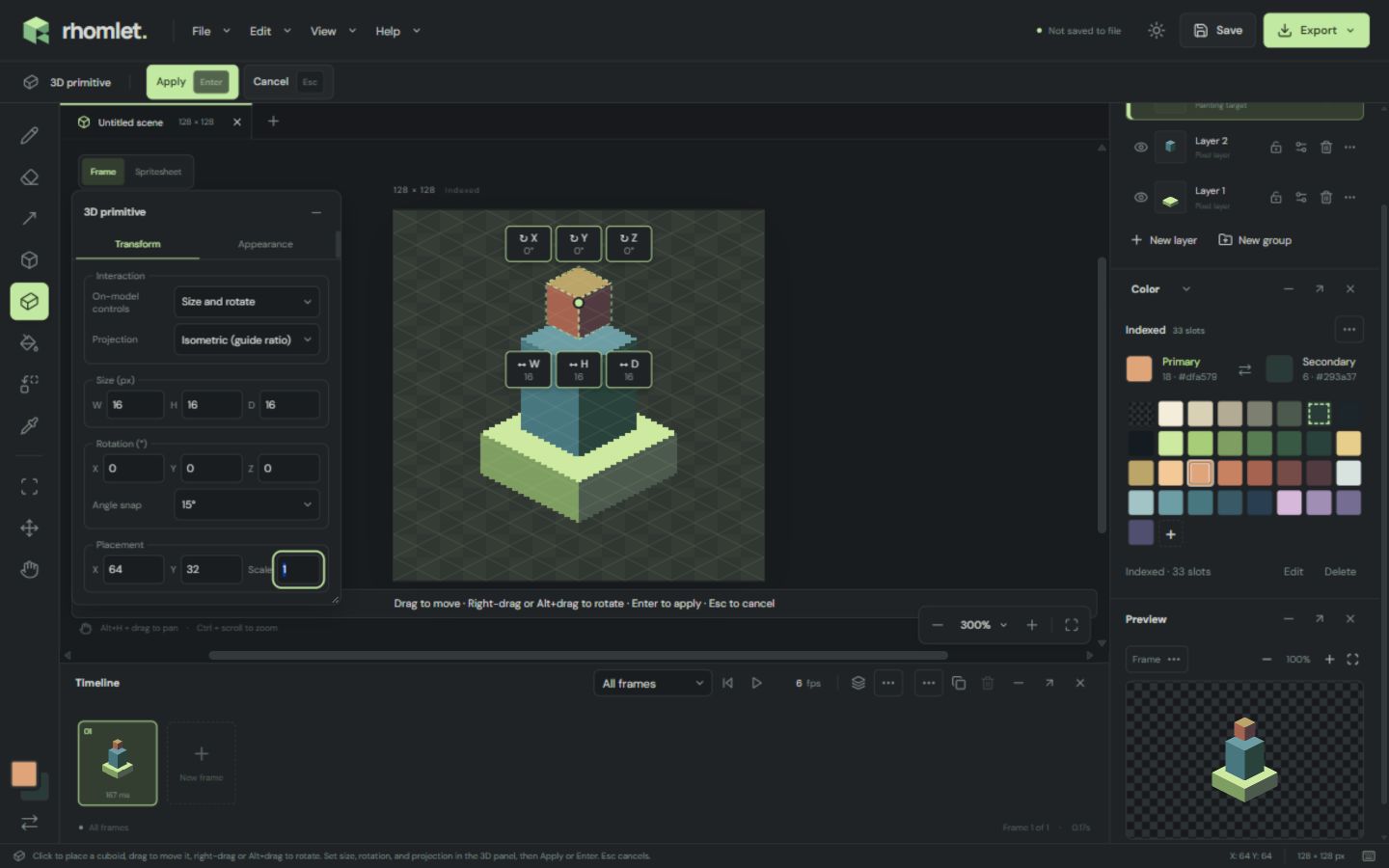
Align buildings, terrain, and props with isometric guides, snapping, diamonds, ramps, and boxes. Block out forms with shapes or a 3D primitive, then bake the result into ordinary pixels you can still edit by hand.
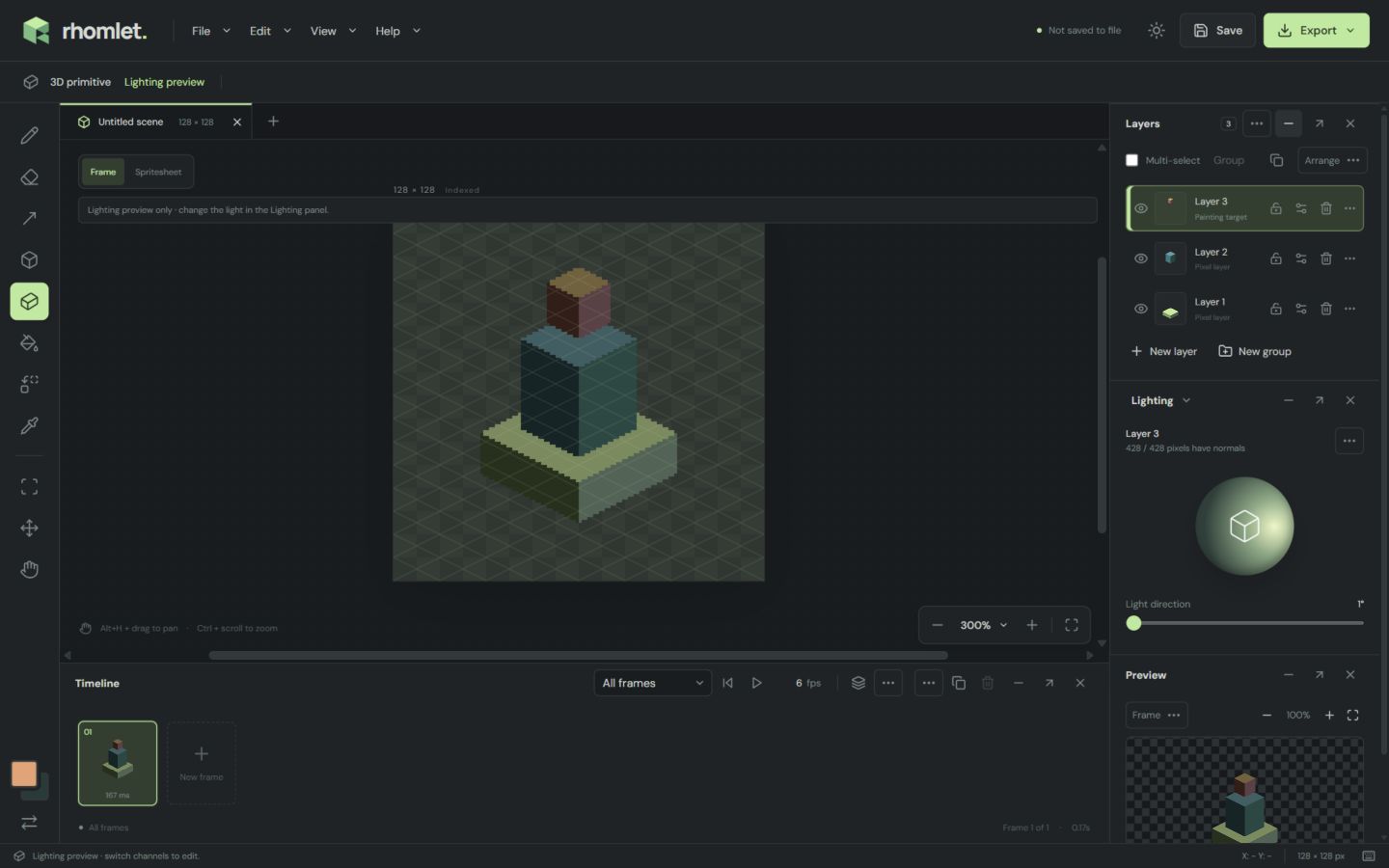
Add depth with normal maps stored beside your color artwork. Shapes can write surface directions from their geometry; you can also paint them. Move the light in the preview, then export the map for your engine.
The working editor runs in a current browser. Start from a blank indexed canvas, import a sprite, or continue a
.rhomlet project. Artwork stays on your device and there is no account required
to draw.
Use the sprite sheet export guide when you need packed frames for a game, or read the full help for tools, shortcuts, and limits.