 rhomlet.
Workflow guide
Make an isometric pixel-art asset
Rhomlet is a pixel art editor first. Isometric tools help you count faces and slopes correctly, then everything lands on ordinary pixels you can still pencil, fill, and animate.
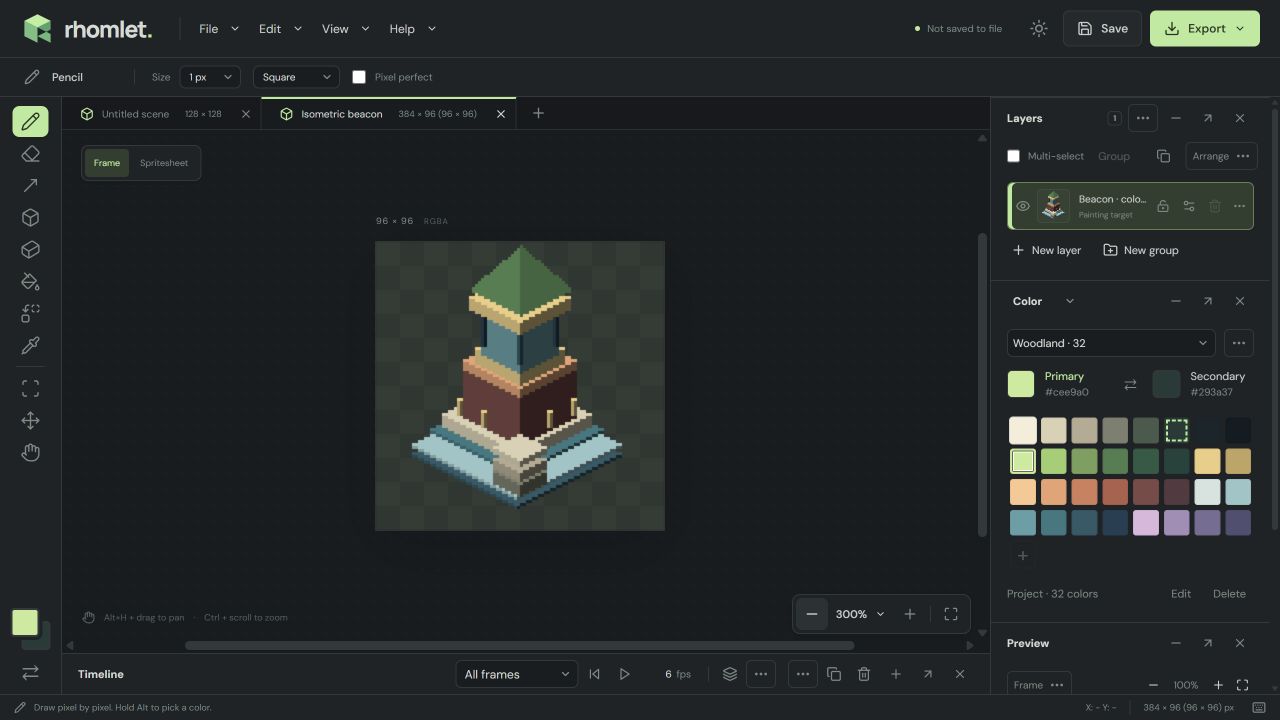
1. Start a canvas with isometric guides
- Choose File > New project. Indexed color is the default and keeps a shared palette for the sprite.
- Open View > Guides. Turn on isometric guides and snapping. The default ratio is classic 2:1; Grid settings can change the ratio, spacing, and origin.
- Guides stay out of exports. You can hide them later; snapping still uses the lattice when it is enabled.
2. Block the volume with shapes
Press U for Shapes. Isometric diamond and isometric box are the fastest way to place floors and walls. An isometric ramp uses a square footprint: width sets the ground size, vertical distance sets the rise, and Uphill in the Shapes panel chooses one of four ground-plane directions.
Hold Alt to draw from the center. Choose Filled or Outline in Style. Editable placement lets you adjust a pending shape before Apply (Enter) or Cancel (Esc).
3. Use a 3D primitive only as a start
3D primitive (D) places a cuboid you can move and rotate, with isometric projection available from the guide ratio. Appearance can bake shading and write a normal map. When you Apply, the preview becomes one undoable pixel layer. No mesh remains to edit later — that is intentional. Treat it as construction, then fix silhouette pixels by hand.
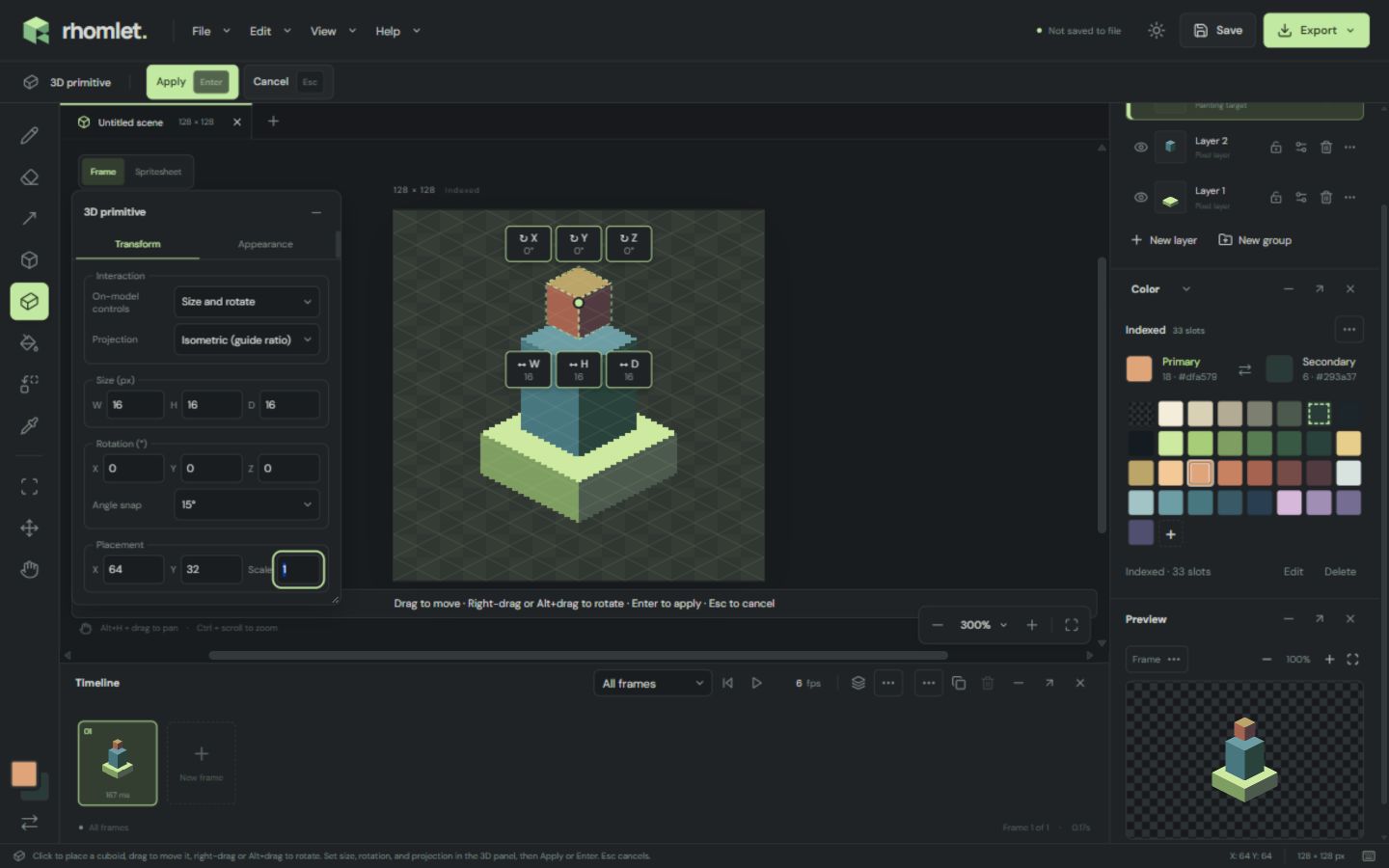
4. Refine the pixels
Switch back to Pencil for outlines and Fill for flats. Indexed slots recolor every matching pixel if you edit the palette. Keep a separate layer for the silhouette if you expect to animate or swap palettes later.
When the asset needs light that can move in-engine, continue with the normal map and lighting guide. When it needs frames, use the sprite sheet export guide.