 rhomlet.
Workflow guide
Export sprite sheets from pixel art
Rhomlet is a sprite editor as well as a drawing tool. Frames live in the timeline; sheet view lets you see the packed grid; Export writes PNG sheets, JSON rectangles, GIF playback, or a ZIP of sprites. Draw once, then download what your engine expects.
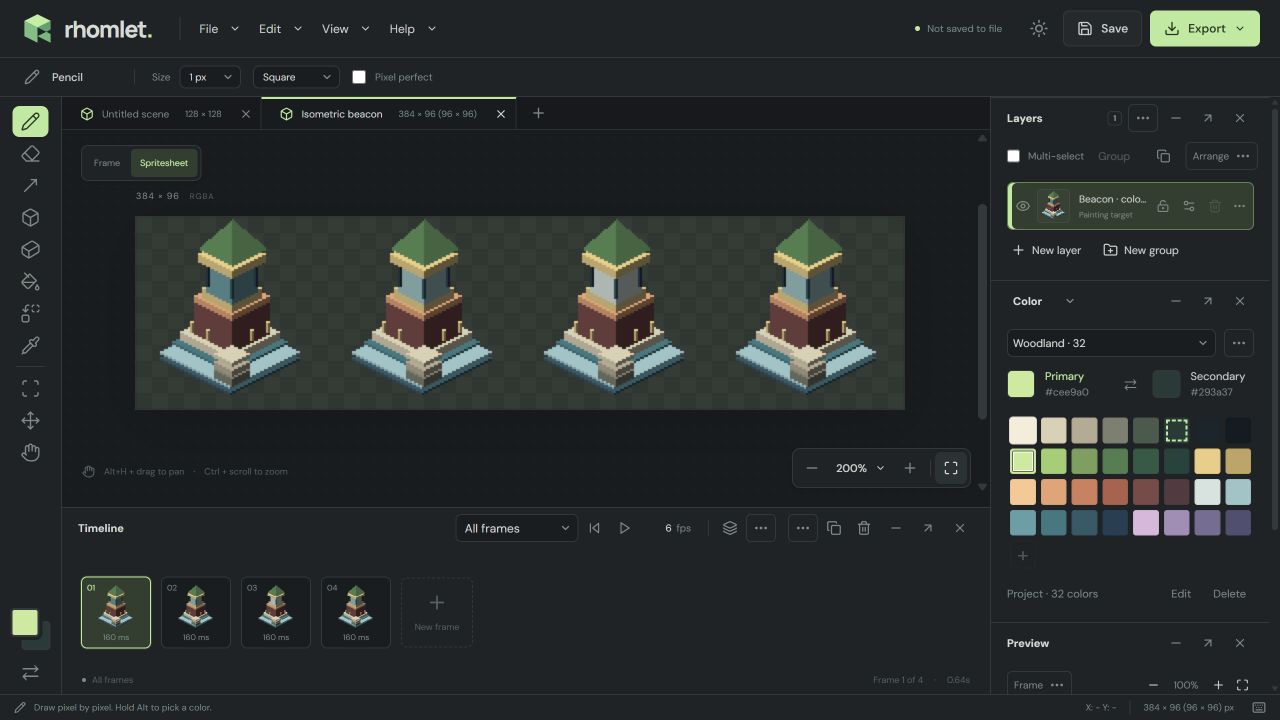
1. Put each pose on a frame
The Timeline inserts a blank or duplicated frame after the current one. Set project FPS from 1–30, or give a frame its own duration between 10 ms and 60,000 ms. Named animation ranges can play forward, reverse, or ping-pong. Onion skin shows neighboring poses while playback is paused in Frame view.
2. Check the packed sheet
Spritesheet view packs every frame into one editable canvas. Edits inside a cell update that frame. Pixels in margins, spacing, and unused sheet areas remain part of the saved sheet. Switching views maps the selection between the active frame and its sheet cell and stops playback.
Edit > Canvas > Sprite size / re-slice sheet keeps every sheet pixel, then rebuilds frames from every complete cell that fits the new sprite size.
3. Export what you need
Open Export (Ctrl+E). Typical game-ready choices:
- One PNG for the current frame
- One PNG sheet of every frame, with margins and spacing preserved
- PNG sheet plus JSON in a ZIP, or separate PNG sprites plus JSON in a ZIP
- Animated GIF with binary transparency and looping playback
- An editable
.rhomletproject if you still need layers and normals
JSON records dimensions, frame files or rectangles, durations, and animation sequences. Indexed projects can export indexed PNG frames and sheets with palette alpha retained. Scales are 1×, 2×, 4×, and 8×. Guides and viewport backgrounds are never exported.
4. Import a sheet you already have
Import image / spritesheet reads PNG, JPEG, and WebP. Sheets slice left to right, top to bottom; only complete
cells become frames. Color defaults to indexed from the image. Open project also reads Aseprite documents;
Rhomlet does not export .aseprite files.
If the sprite is isometric, start from the isometric asset guide. If it needs engine lighting, use normals and lighting before you export the map.